Пошук по сайту
Результати пошуку за тегами 'extreme x670'.
Найдено 2 результата
-
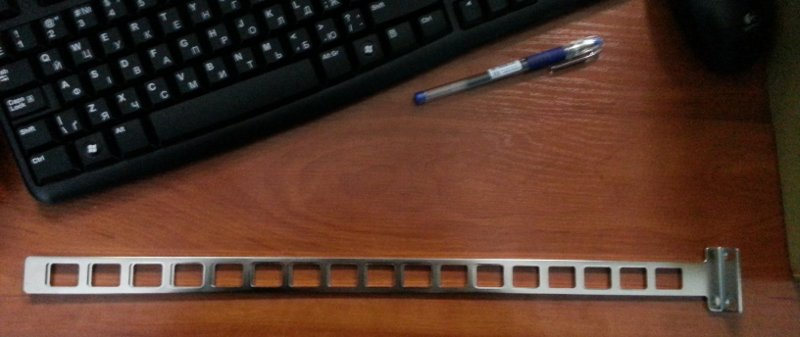
Приветствую. Ищутся салазки (mounting brackets) к extreme summit x670. Те, которые должны были быть в комплекте, потерялись, а в стойку ставить надо. Фото таких, какие надо: Если у кого есть лишние - в ПМ.

-
Добрый день, купили 2 Extreme x670 и не можем сбросить - стандартная команда : BootRom > config none Configuration selected: none BootRom > boot не доступна! Вот меню какое есть у нас в Bootrom: BootRom > help Boot and Load -------------- pboot boot oload load memory from hostport load load file boot boot an image Misc -------------- loader Sets which BootLoader BootStrap will boot call call function devls list devices reboot Reboot system (hard reset) flash program flash memory show display information Debugger -------------- cpu select cpuinfo c continue execution t trace (single step) to trace (step over) db delete break point(s) b set break point(s) g start execution (go) sym define symbol ls list symbols r display/set register l list (disassemble) memory bt stack backtrace Shell -------------- h on-line help help on-line help ? on-line help sh command shell vers print version info eval evaluate and print result stty set tty options plvl Set the debug print level hi display command history about about PMON2000 Network -------------- ifaddr Configure Network Interface defflash Program DEFAULT BootLoader image from Compact Flash or Ethernet altflash Program ALTERNATE BootStrap image from Compact Flash or Ethernet ping ping remote host Memory -------------- map show memory map m modify memory d display memory compare compare memory to memory copy copy memory to memory fill fill memory search search memory mt tests all available memory up to 2GB using 64 bit physical addresses Device -------------- update Update Boot Flash Code Environment -------------- env display variable set display/set variable unset unset variable(s) eset edit variable Compact Flash -------------- cfopen open a file on the CF cfclose close a file on the CF cfread read <n> bytes from CF file dir list contents of CF directory cd change working CF directory pwd print working CF directory Download -------------- configip configure the bootloader ip address download download an image CF --------------